




Schedule Messages
Use Gmail Delay Send to schedule when gmail messages are sent out. The tool runs using the Google App Scripts API, so your computer does not need to be left on in order for the messages to go out (since the app runs on Google's server).
Google Apps Email
Switching Domain Names
- There's no way to change the "primary" domain on a Google Apps account (e.g. from
@olddomain.comto@newdomain.com) - Google's suggested process for doing so is to create a new account with the new domain, and use their migration tool to move all the users
- An alternative is to set the new domain as a domain alias, which can then be set as the default domain from within each individual email address
- IF the Apps account is a paid account, domain aliases are seamless to people outside of the company; however, users will still need to log in to their accounts using the primary domain
- If the Apps account is a free account, domain aliases add the "on behalf of primarydomain.com" to the end of your sender address
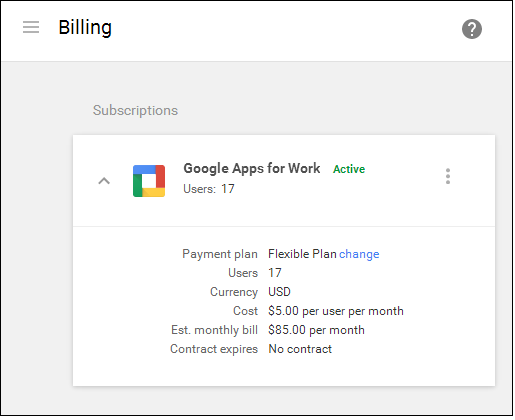
Checking if Paid or Free Account
- Login to Google Apps as an administrator
- Click on the Billing icon
- The following page will inform you whether or not the customer is being charged
Helpful URL's
| Category | Description | URL |
|---|---|---|
| Reference | Using Gmail Aliases on iOS 7 | http://www.nathanpjones.com/wp/2014/01/using-gmail-aliases-in-ios-7/ |
