
Resize Art Board
Follow these instructions to resize an art board. This step is commonly needed as a prerequisite to exporting an EPS file into SVG format, while preserving a specific size.
- Go to:
File > Document Setup... - A new window will appear. Under the
Unitsdropdown menu, selectPixels - Click the
Edit Artboardsbutton to the right. - Change the
WandHattributes to the desired size. Changing theXandYvalues do not impact art board size; they merely change the position of the art board on the screen.
Export SVG
- Go to:
File > Save As... - Select
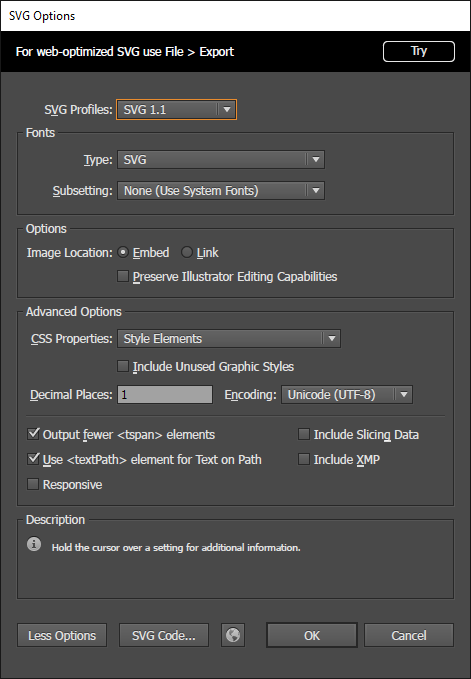
SVGas the desired file type. - Select the options shown below and press
OK