




Contents
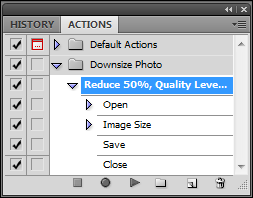
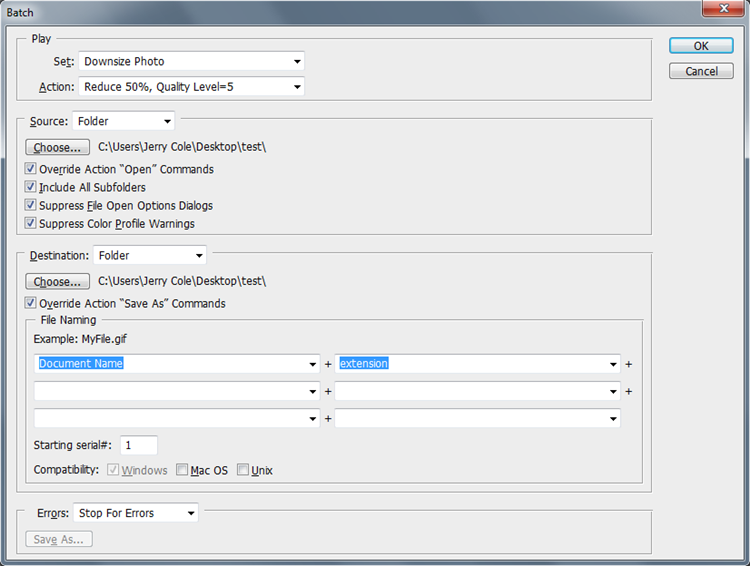
Batch Sequence Tutorial:
Full Tutorial: http://www.photoshopsupport.com/photoshop-blog/10/cs5-01/how-to-create-batch-action-in-photoshop.html
- Create an action set (
folder icon) - Record action (
document icon) - Execute batch sequence (
File > Automate > Batch)
Rounded Corner Rectangle
Apply Rounded Corner to Existing Image
To apply rounded corners to an existing image, visit: http://matthom.com/archive/2004/09/10/fast-rounded-corners-in-photoshop
*Use a 15 px radius for best results on web. Be sure the radius is selected before the rounded rectangle tool is used.
Created a Rounded Rectangle Box
Follow the instructions below to create a rounded rectangle (just the rectangle):
- Create new image with transparent background canvas.
- Right beneath the text tool, select
Rounded Rectangle. Draw a rounded rectangle using this option.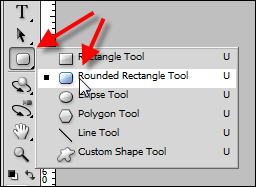
- When selected, a context menu will appear on the top of the screen. Use this to change the radius of the corners if desired. A 25px radius is most desirable.

- On the layers palette, double-click the shape layer to open the
Layer Stylewindow. UnderAdvanced Blending, change the fill opacity to0%by dragging the bar all the way to the left. PressOKwhen complete.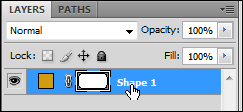
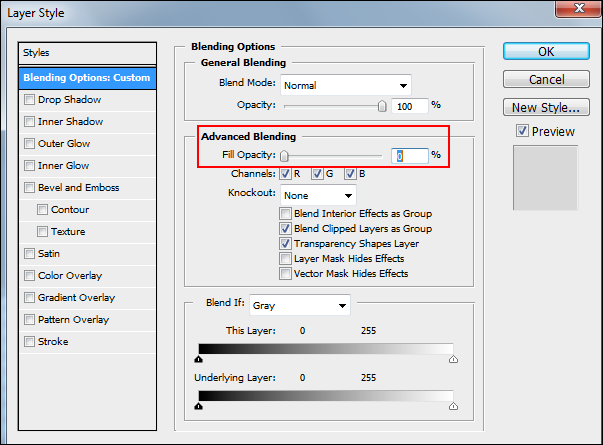
- Select the shape in the layers palette, and select the stroke button/option on the lower right corner of the palette.
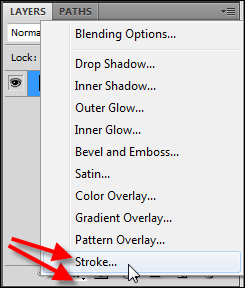
- A new window will appear. Use this to set shape width, color, etc. Recommended
Size=2pxandPosition=Inside.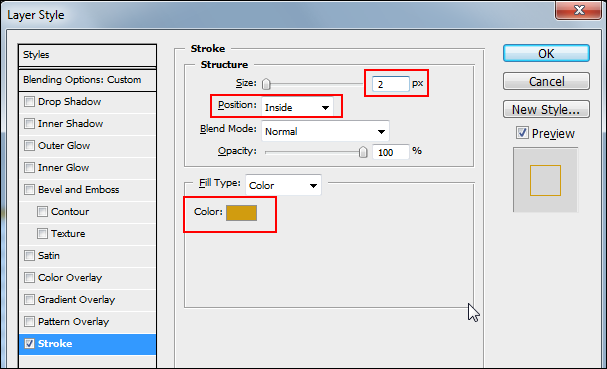
- Use the
Save for Web & Devicesoption to save the final image. Save as24-bit PNGfile.
Helpful URL's
| Category | Description | URL |
|---|---|---|
| Tutorial | CS6 Tutorials | http://ecommercedeveloper.com/articles/21-tutorials-to-learn-photoshop-cs6/ |
| Reference | Crop In A Circle | http://forums.adobe.com/message/3155505 |
| Reference | Create Batch Job Using CSV File | http://graphicdesign.stackexchange.com/questions/4866/how-to-create-a-batch-job-... |
Related Files
| Title | File Name | File Type |
|---|---|---|
| 130 Photoshop Arrows | 130_arrows_by_sakabato.zip | application/zip |
